Why a Monoblock Can Lose One Satellite Completely
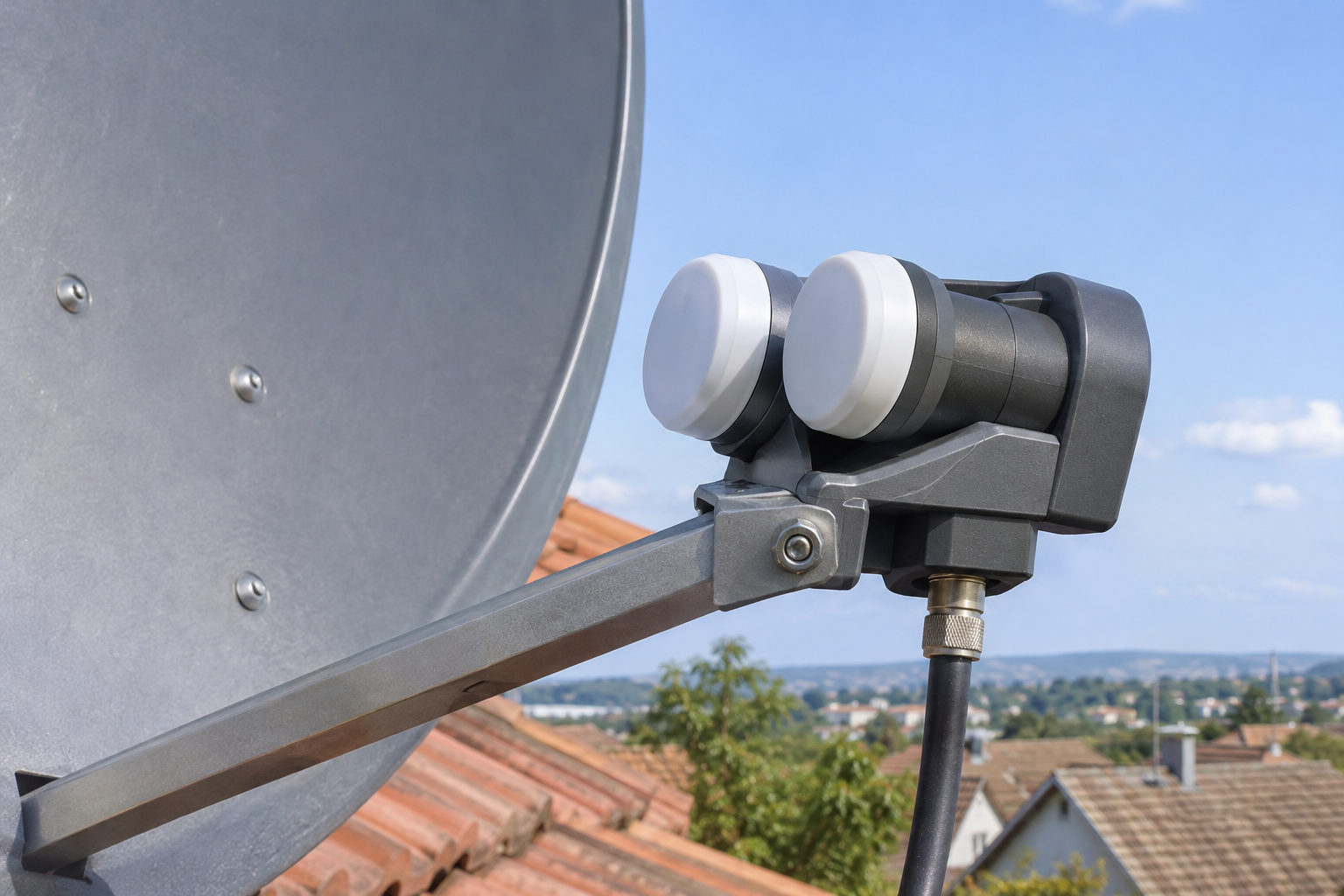
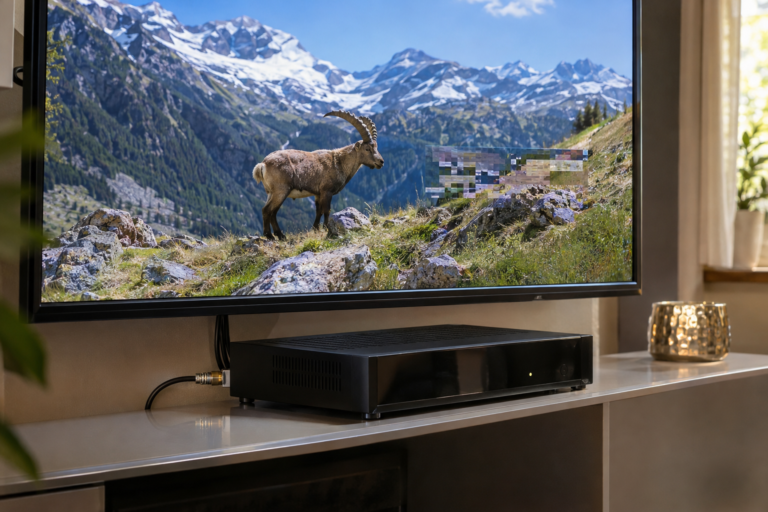
Your monoblock LNB receives every expected channel from Astra 19.2°E, but Hot Bird 13°E has disappeared completely. Or perhaps Hot Bird works perfectly while Astra refuses to lock a single transponder. The dish has not moved, the receiver still shows signal strength, and both satellite positions are listed in the settings. So how can one half of a dual-satellite system appear to stop working?
A monoblock contains separate receiving paths for two satellite directions, typically selected through an integrated switching system. If the receiver requests the wrong path, the reflector is not aligned for the second feed, or that feed’s electronics fail, one satellite can become unavailable while the other continues working. But the first task is to establish what has actually disappeared. No carrier lock, no discovered channels, and no playable picture are three different symptoms that require different tests.
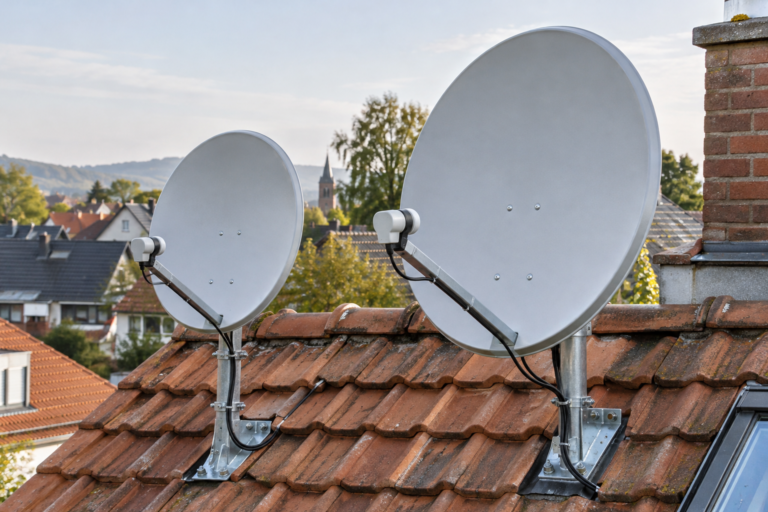
A monoblock LNB is designed to receive two nearby orbital positions with one compatible satellite reflector. Common European installations use Astra 19.2°E and Hot Bird 13°E. The unit generally incorporates separate feed and conversion paths along with satellite-selection circuitry. Successful reception from one satellite confirms that part of the installation operates, but it does not independently prove that the second feed, switching commands, or receiver configuration are correct.
How a Monoblock Receives Two Satellite Positions
A monoblock LNB combines two receiving feed assemblies within one housing.
Each feed is positioned to collect satellite signals arriving from a different direction after reflection from the shared dish.
In a typical European dual-satellite installation, the intended orbital positions are Astra 19.2°E and Hot Bird 13°E.
The two satellites differ by approximately 6.2 degrees in orbital longitude, although their apparent angular separation in the local sky depends on the receiving location.
Two Feeds Do Not Mean Two Independent Cables
A conventional single-output monoblock typically presents one coaxial output to the receiver.
An internal selection circuit determines which satellite receiving path is connected to that output.
Compatible receivers commonly control the selection using DiSEqC commands or another supported switching method.
Twin and quad monoblock models provide additional receiver connections, but their internal architectures and switching behavior must be checked against the exact product specifications.
Why One Satellite Can Work Normally
If the receiver successfully selects one feed and acquires its carriers, that path may operate correctly while another path remains unavailable.
This could indicate a switching problem, a fault isolated to the other feed, incorrect geometry, or unsuitable receiver settings.
The working satellite is useful as a reference, but it does not establish the cause of the missing satellite.
What Does Losing One Satellite Completely Mean?
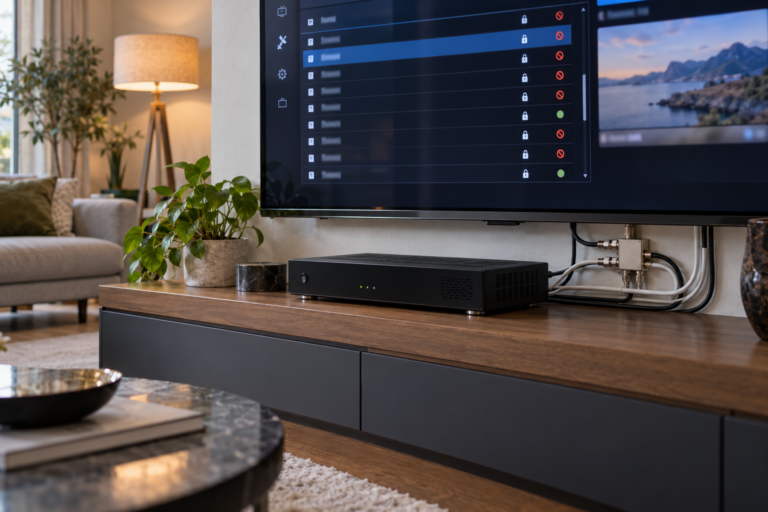
Before adjusting equipment, identify whether the receiver has lost the RF carrier or merely stopped displaying particular services.
These situations are often described using the same phrase, but technically they are different.
Situation 1: No Carrier Lock
The receiver cannot acquire any currently verified transponder on the selected satellite.
This suggests investigating the receiving path, satellite identification, tuning parameters, or hardware compatibility.
It does not automatically prove that the monoblock is defective.
Situation 2: Carrier Lock Exists but Channels Are Missing
The receiver successfully acquires known transponders, but the expected television channels are absent from the database.
Here, service discovery, channel-list settings, or outdated service information may be responsible.
The monoblock can be functioning correctly even though the channel list is incomplete.
Situation 3: Channels Are Listed but Do Not Play
The receiver retains channel entries, but the selected services produce no usable picture.
Possible causes include outdated tuning information, decoding incompatibility, access authorization, or genuine reception errors.
A failed video playback session is not sufficient evidence that the satellite feed has disappeared.
Establish whether verified transponders can achieve digital carrier lock before assuming that an entire satellite is missing. Channel-list size and receiver signal-strength percentages are not reliable substitutes for carrier acquisition.
Why Incorrect DiSEqC Settings Can Remove One Satellite
DiSEqC allows compatible satellite receivers to send control commands through the coaxial connection.
In a monoblock installation, those commands can select which satellite feed is connected to the receiver.
If the selected command does not match the monoblock’s actual assignments, the receiver may request one satellite while receiving the other feed.
Port A and Port B Are Not Universal Assignments
Different monoblock products may assign satellite feeds to different switching positions.
For example, certain Inverto six-degree monoblocks designate Hot Bird 13°E as Satellite A and Astra 19.2°E as Satellite B.
Other products may use a different arrangement.
The correct configuration must be taken from the exact model’s documentation rather than copied from another installation.
What Happens When the Wrong Port Is Selected?
Suppose the receiver is configured to select Hot Bird, but its DiSEqC command activates the Astra receiving path.
RF energy may still reach the tuner.
However, the requested Hot Bird carrier will generally not be present at the expected tuning conditions.
The receiver may show signal strength but fail to achieve lock.
This creates the appearance of a missing Hot Bird satellite even though the problem is the selected path.
DiSEqC Does Not Move the Dish
A monoblock’s integrated switching changes the selected receiving path.
It does not physically move the reflector or correct the position of either feed.
Therefore, switching errors and antenna geometry errors require different corrective actions.
Switching Failure or Reception Failure? The Critical Difference
A useful investigation distinguishes between a feed that is never selected and a feed that is selected but cannot deliver a usable carrier.
When the Feed Is Not Selected
Possible explanations include an incorrect satellite-to-port assignment, unsupported switching configuration, or failure of the integrated selection circuitry.
Control problems in the coaxial distribution path may also prevent commands from reaching the monoblock reliably.
In this situation, mechanically realigning the reflector may not solve the problem.
When the Feed Is Selected but Reception Fails
The receiver may select the correct feed, yet the intended carrier remains below its acquisition threshold.
Possible causes include incorrect feed positioning, incompatible dish geometry, limited satellite coverage, or a fault in the receiving electronics.
Incorrect transmission parameters can also prevent lock even when the appropriate feed is selected.
Why These Conditions Can Look Identical
Many consumer receivers provide only limited diagnostic information.
Both conditions may appear as zero signal quality and no channels.
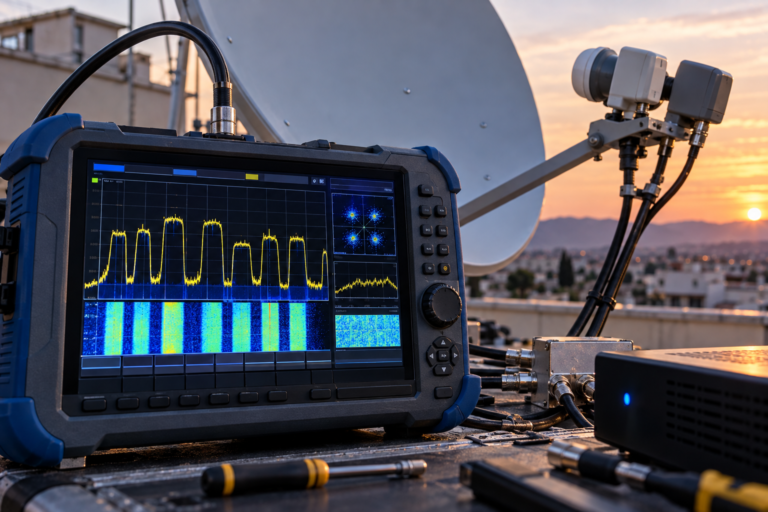
Professional satellite measurements and controlled switching tests help distinguish the underlying causes.
Can One Monoblock Feed Fail While the Other Still Works?
Yes. A monoblock incorporates separate receiving sections, and a fault affecting one path does not necessarily disable the other.
However, the exact internal architecture depends on the model.
Possible Internal Faults
Hardware problems can affect an individual receiving path, its frequency-conversion electronics, or the selection circuitry.
Environmental exposure, manufacturing defects, and aging components are possible contributors.
Such failures may cause complete loss, intermittent reception, or degraded carrier quality.
Why a Working Satellite Is Not Proof of a Defective Second Feed
If Astra works but Hot Bird does not, a defective Hot Bird feed is only one possible explanation.
The reflector may not be aligned appropriately for both feeds.
The monoblock may be incompatible with the dish, or the receiver may be selecting the wrong path.
A diagnosis based solely on the working satellite is incomplete.
When Hardware Replacement Becomes Reasonable
Replacement becomes more defensible when the receiver configuration, feed geometry, cable conditions, and current carrier parameters have been verified.
A controlled comparison with a compatible known-good unit provides stronger evidence than a single unsuccessful scan.
Why the Dish Can Receive One Satellite but Completely Miss the Other
Monoblock reception depends on the relationship between the reflector and the two feed positions.
A unit designed for one antenna geometry may not operate correctly on another.
Feed Spacing and Focal Geometry
The physical spacing between monoblock feeds is chosen to correspond to the intended satellite separation for a particular reflector arrangement.
The reflector’s focal length and F/D ratio influence where the satellite signals are concentrated.
Using incompatible geometry can reduce the usable gain available to one or both feeds.
Why Dish Diameter Matters
Some monoblock models are designed for a specified reflector size.
For example, a particular Inverto six-degree monoblock is designed for an 80cm offset dish with F/D = 0.6.
That specification does not apply to every monoblock or every 80cm dish.
Consult the manufacturer’s compatibility requirements rather than assuming that any two-feed LNB will work on any reflector.
When the Secondary Feed Has Too Little Margin
A marginal secondary feed may fail to acquire every tested carrier if the antenna geometry is sufficiently unsuitable.
That situation can resemble complete hardware failure.
However, the actual cause may be inadequate gain rather than defective electronics.
Why Random Dish Movement Is Risky
Moving the dish to improve the missing satellite can reduce performance on the working satellite.
If the feed geometry is incompatible, changing reflector pointing may not produce acceptable reception for both positions.
Measure both satellite paths before and after any controlled alignment adjustment.
Receiver and LNB Settings That Can Hide an Entire Satellite
Even correct dish geometry and functioning hardware can fail when the receiver’s tuning configuration does not match the installed equipment.
Local Oscillator Settings
Conventional universal Ku-band LNBs commonly use nominal local oscillator frequencies of 9,750 MHz and 10,600 MHz.
The receiver must use the appropriate conversion settings for the selected hardware.
Incorrect oscillator configuration can prevent acquisition of valid satellite carriers.
Band and Polarization Selection
Traditional universal LNB systems commonly use nominal 13V and 18V states for vertical and horizontal polarization.
A 22 kHz control tone is commonly used to select the upper frequency band.
These functions are different from the DiSEqC command selecting a satellite feed.
Confusing them can lead to incorrect diagnosis.
Receiver Compatibility With the Switching System
Verify that the receiver supports the control method required by the monoblock.
Some devices offer configuration options for DiSEqC 1.0, Toneburst, or more advanced switching arrangements.
Select the method documented for the specific product.
Do not assume that an option labeled Auto will necessarily identify or configure the satellite paths correctly.
How Cable and Power Problems Can Affect One Satellite Path
The coaxial cable in a conventional satellite installation carries intermediate-frequency signals, electrical power, and control information.
Problems in that shared path can interfere with normal monoblock operation.
Damaged Connectors and Cable Runs
Poor F-connectors, damaged coaxial cable, and unsuitable distribution components can introduce attenuation or unreliable electrical contact.
Depending on the actual fault, the symptoms may affect all carriers, one band, one polarization, or satellite selection.
Do not assume that the cable is healthy merely because one satellite works.
LNB Power and Control
The monoblock requires appropriate power and control signals to operate its receiving and switching functions.
If the receiver or distribution equipment cannot supply the required conditions, switching may become unreliable.
However, a complete loss of one satellite does not independently prove a low-voltage problem.
Electrical diagnosis should use the manufacturer’s specifications and suitable test equipment.
Disconnect the receiver and any powered distribution equipment before changing coaxial connections. Do not short the center conductor to the cable shield. Use qualified installers for rooftop work and powered RF testing.
How to Verify Which Satellite the Monoblock Actually Receives
Receiver satellite names are database labels, not direct measurements of the incoming signal’s orbital origin.
The receiver may show Hot Bird in the menu while selecting an Astra feed.
Use Verified Reference Carriers
Choose current, known transponders from each satellite.
Verify their frequency, polarization, symbol rate, and transmission requirements.
Use suitable service identification or network information where available to confirm the source.
Why Signal Strength Alone Is Not Enough
A receiver may display RF strength even when the intended carrier cannot be acquired.
The reported energy may include other signals or noise.
A high signal-strength percentage therefore cannot prove that the correct satellite is selected.
Test Switching Without Deleting Channels
Where the receiver supports manual tuning, select a verified reference carrier and test the documented satellite port assignments.
Observe actual digital lock and service identification rather than simply counting scanned channels.
Preserve the current service database during diagnosis.
What Different One-Satellite Failure Patterns Reveal
| Observed Pattern | Possible Explanation | First Useful Check |
|---|---|---|
| One satellite locks, the other never locks | Wrong port, geometry, settings, or feed-path failure | Verify satellite identity and DiSEqC assignment |
| Both satellites work when their port settings are exchanged | Reversed satellite-to-port mapping | Compare settings with the model manual |
| Receiver shows RF strength but no verified carrier lock | Wrong feed, tuning error, or inadequate carrier quality | Use a verified reference transponder |
| Secondary satellite has no lock on any tested carrier | Geometry mismatch or receiving-path fault | Check compatibility and measured carrier levels |
| One receiver works, another does not | Receiver configuration or switching compatibility | Compare settings and equivalent signal paths |
| Problem began after replacing the monoblock | Different feed geometry, port mapping, or hardware fault | Check the replacement model and installation |
| Carrier locks but channels are missing | Service database or scanning issue | Check service information without altering alignment |
| Selected channels break up but the carrier stays locked | Reception errors or video processing issue | Check MER, error measurements, and service behavior |
These patterns suggest investigation priorities. They do not identify a defective component without supporting tests.
Step-by-Step: Restore the Missing Satellite
Step 1: Identify the Monoblock Model
Record the manufacturer and exact model number.
Check its intended satellite separation, supported dish geometry, output architecture, and switching instructions.
Do not apply settings from a different monoblock without verifying compatibility.
Step 2: Preserve the Current Channel Database
Back up receiver channels, favorites, and tuner settings where supported.
A full scan or factory reset is unnecessary for initial satellite-path diagnosis.
Step 3: Confirm the Working Satellite
Use a verified active carrier to confirm the orbital position actually being received.
Do not rely solely on the receiver’s satellite label.
Step 4: Verify Port Assignments
Compare the receiver’s DiSEqC settings with the exact monoblock manual.
Correct any mismatch and test a verified carrier from each satellite.
Changes to switching settings should be recorded so they can be reversed if necessary.
Step 5: Verify Frequency and LNB Configuration
Check the local oscillator settings, relevant band selection, polarization configuration, and current transponder parameters.
Confirm the receiver is compatible with the selected transmission mode.
Step 6: Inspect Geometry and Mounting
If the correct feed is selected but no carrier locks, verify the monoblock’s intended dish diameter, focal geometry, and mounting orientation.
Inspect mechanical stability and feed positioning.
Use a qualified installer for precise antenna adjustments.
Step 7: Check the Signal and Control Path
Inspect outdoor connections and the distribution arrangement safely.
Where appropriate, use professional test equipment to determine whether the selected feed delivers usable carrier quality.
Step 8: Compare Known-Good Equipment
If configuration, geometry, and receiving conditions are verified, compare with a compatible known-good monoblock or receiver where practical.
Keep the rest of the installation as consistent as possible.
A repeatable failure following the same hardware strengthens the evidence for a component problem.
Identify model → Confirm actual satellite → Verify DiSEqC mapping → Check LNB settings → Test carrier lock → Inspect geometry → Test RF/control path → Compare known-good hardware.
This approach separates configuration errors, alignment limitations, and real hardware faults without prematurely deleting channel data.
When the Satellite Works but Its Channels Are Missing
Not every report of a missing satellite represents complete RF reception loss.
If verified carriers achieve stable lock, the receiver may be able to receive the satellite correctly even if expected services are missing from its channel list.
Outdated service information, scan filters, and database-clearing options can all contribute to apparent channel disappearance.
Similarly, picture breakup on individual services should not automatically be interpreted as loss of an entire satellite path.
Our related article, Why Some Hot Bird Channels Pixelate First, explains the distinction between reception errors affecting digital video and faults originating later in the service or decoding chain.
If the receiver can lock verified carriers, investigate service discovery and playback separately before replacing the monoblock.
When Should You Replace the Monoblock?
Replacing the monoblock may be appropriate when a fault is isolated to its internal switching or receiving electronics.
However, a replacement should be compatible with the reflector geometry, receiver controls, and distribution system.
Evidence Supporting Replacement
- The correct switching commands and receiver configuration have been verified.
- The relevant carriers are active and their parameters are current.
- The reflector and feed arrangement meet the product’s requirements.
- External cable and power problems have been excluded.
- A controlled test repeatedly associates the failure with the suspect unit.
Why a Different Monoblock May Require Reconfiguration
A replacement model may assign Astra and Hot Bird to different satellite ports.
Its feed geometry and mounting instructions may also differ.
Consequently, installing the new unit without checking the product documentation can reproduce the original fault or introduce a new one.
Do not assume that a physically similar monoblock is electrically and mechanically interchangeable.
Reality Check: One Missing Satellite Does Not Prove a Failed LNB
A monoblock that receives Astra but not Hot Bird, or the reverse, is not necessarily defective.
Incorrect satellite-to-port mapping, incompatible reflector geometry, tuning errors, insufficient reception margin, and coaxial control problems can all prevent one orbital position from being received.
A valid carrier lock on one satellite does not confirm correct operation of the entire dual-satellite installation.
The decisive test is whether the receiver selects the intended feed and can acquire verified carriers under appropriate receiving conditions.
Final Verdict
A monoblock can appear to lose one satellite completely because its second feed is not being selected, cannot deliver sufficient carrier quality, or has developed a genuine hardware fault.
Incorrect DiSEqC assignments are an important configuration issue, but they are not the only explanation.
Reflector compatibility, feed positioning, current transponder information, receiver settings, and coaxial control conditions must also be considered.
The most effective diagnosis begins by distinguishing missing channel entries from actual carrier-lock failure. Then verify both satellite identities, inspect the switching configuration, and test the relevant receiving path.
Replace the monoblock only when controlled evidence supports a hardware problem. A correctly diagnosed configuration or alignment issue may be resolved without purchasing new equipment.
Frequently Asked Questions
Why does my monoblock receive only one satellite?
Possible causes include incorrect DiSEqC assignments, incompatible dish geometry, insufficient reception margin, incorrect tuner settings, cable or control problems, and faults affecting one receiving path. Verify actual carrier lock before replacing hardware.
Can a DiSEqC problem disable one satellite completely?
Yes. If the receiver cannot select the correct feed, the intended satellite carriers may remain unavailable even while the other satellite works normally. Check the port assignments for the exact monoblock model.
Is Hot Bird always DiSEqC A on a monoblock?
No. Certain models use Hot Bird as Satellite A and Astra as Satellite B, but assignments vary by product. Always use the manufacturer’s model-specific documentation.
Can one feed inside a monoblock fail independently?
Yes. An internal receiving path or switching component can develop a fault while another path continues working. However, configuration and antenna geometry should be verified before concluding that hardware has failed.
Can the wrong dish size cause one satellite to disappear?
Yes. A monoblock may be designed for a specific reflector size and focal geometry. An incompatible arrangement can leave one receiving path with insufficient gain for reliable carrier acquisition.
Why does the receiver show signal strength but no channels?
Signal strength does not prove that the intended satellite carrier has been acquired. The receiver may be selecting the wrong feed, using incorrect tuning settings, or receiving RF energy without sufficient usable modulation quality.
Should I perform a factory reset when one satellite is missing?
Not as a first step. Verify the physical receiving path, DiSEqC mapping, and current carrier parameters while preserving existing channel and tuner settings. A reset may remove useful configuration information.
How can I determine whether my monoblock is defective?
Confirm correct receiver settings and switching commands, verify compatible dish geometry, inspect the coaxial path, and test currently active carriers. A controlled comparison with compatible known-good hardware can help isolate an actual component failure.