Fix Weak Signal on Astra 19.2 Satellite
Estimated reading time: 22 minutes.
A weak signal on Astra 19.2 is one of the most common issues in satellite reception. Channels may freeze, break into blocks, or disappear completely. In some cases, the signal works fine during certain hours and becomes unstable at other times.
The important thing to understand is that weak signal is rarely caused by the satellite itself. In most cases, it is the result of local installation issues, alignment problems, or signal loss within the system. The good news is that these issues can usually be identified and corrected with a structured approach.
Quick Context
This guide explains how to fix weak Astra 19.2 signal by analyzing dish alignment LNB positioning cable quality receiver settings and environmental factors affecting signal strength.
- What weak signal actually means
- Main causes of weak Astra signal
- Dish alignment correction
- LNB adjustment and positioning
- Cable inspection and signal loss
- Connector quality and installation
- Environmental obstacles and line of sight
- Weather influence on weak signal
- Receiver settings and signal reading
- Step by step signal optimization
- Diagnosing persistent weak signal
- Common weak signal scenarios
- Reality Check
- Final Verdict
- Frequently Asked Questions
What weak signal actually means
A weak signal means that the receiver is not receiving enough usable data to decode the satellite broadcast reliably.
This does not necessarily mean the signal is absent. It may still be present but not strong or clean enough for stable playback.
Weak signal usually results in pixelation, audio dropouts, or channel loss.
The goal is to increase both signal strength and signal quality.
Main causes of weak Astra signal
Weak signal is typically caused by one or more of the following factors. Misaligned dish, incorrect LNB positioning, damaged cables, or environmental obstruction.
Each component of the system contributes to signal strength.
A problem in any part of the chain can reduce overall performance.
Identifying the root cause is essential before applying fixes.
Dish alignment correction
Dish alignment is the most critical factor in satellite reception. The dish must point precisely toward Astra 19.2.
Even a small deviation can significantly reduce signal quality.
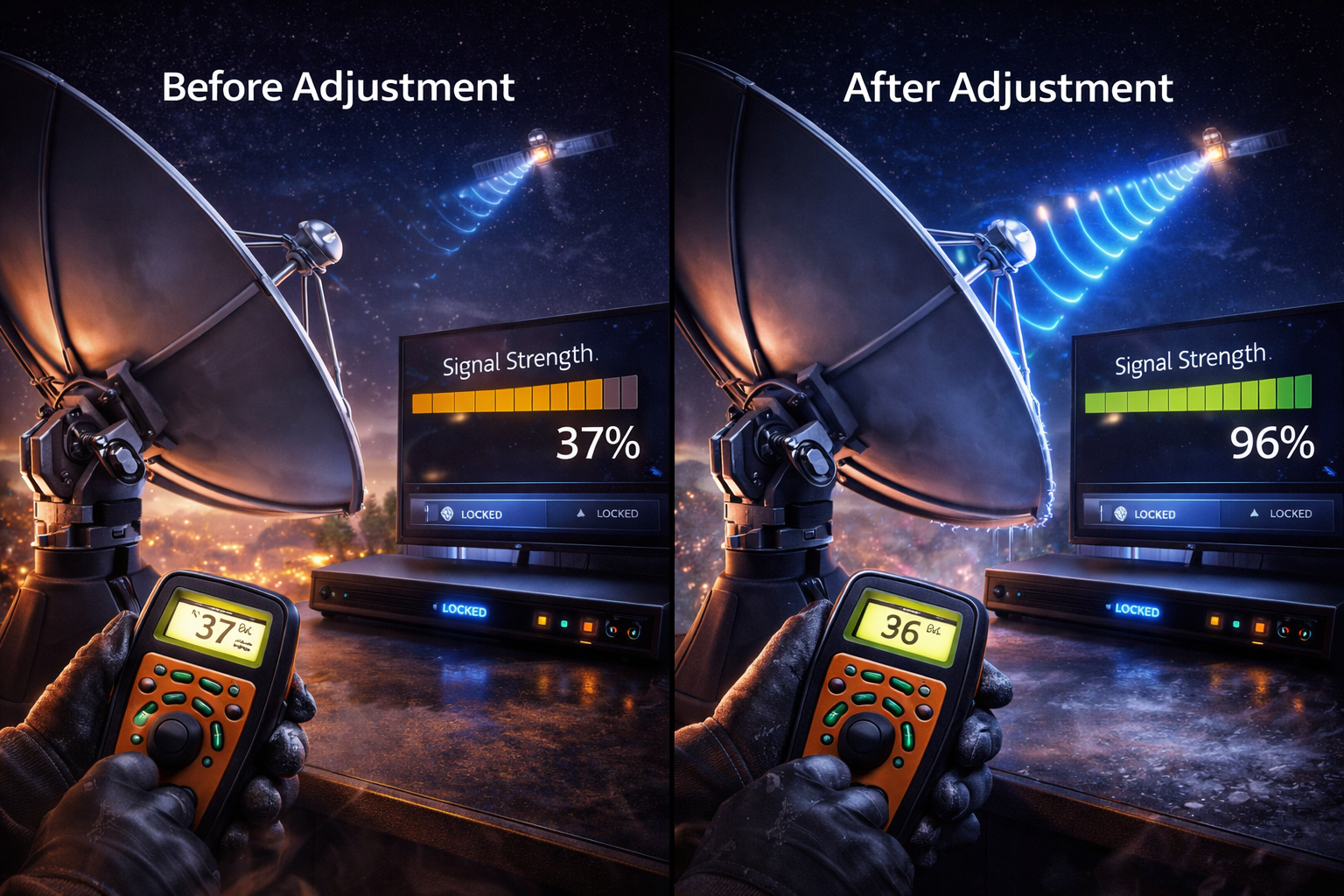
Adjusting azimuth and elevation carefully improves signal capture.
Fine tuning alignment often produces immediate results.
LNB adjustment and positioning
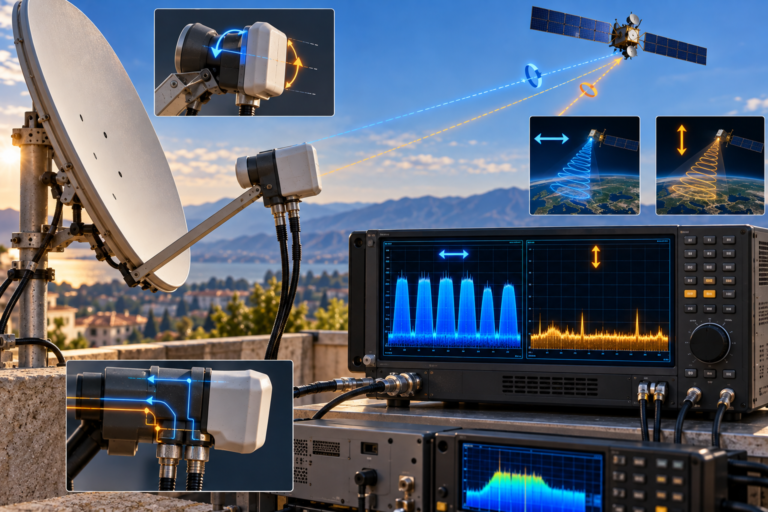
The LNB must be positioned correctly at the focal point of the dish. If it is too far or too close, signal focus is reduced.
The skew angle must also match the satellite polarization.
Incorrect LNB orientation can reduce signal quality even if alignment is correct.
Proper adjustment ensures optimal signal conversion.
Cable inspection and signal loss
Coaxial cables carry the signal from the dish to the receiver. Poor quality or damaged cables can reduce signal strength.
Long cable runs increase signal attenuation.
Replacing old or damaged cables often improves reception.
Cable quality directly affects signal reliability.
Connector quality and installation
Connectors must be properly installed and tightly secured. Loose or corroded connectors introduce signal loss.
Water infiltration can damage connectors and degrade performance.
Using high quality connectors improves signal transmission.
This is a common but often overlooked issue.
Environmental obstacles and line of sight
Satellite signals require a clear line of sight between the dish and the satellite. Obstacles such as buildings or trees can block the signal.
Even partial obstruction can reduce signal strength.
Seasonal changes like tree growth may introduce new problems.
Maintaining a clear path is essential for stable reception.
Weather influence on weak signal
Weather conditions such as heavy rain or snow can weaken satellite signals temporarily.
This effect is usually short term but can reveal underlying weaknesses in the system.
Strong installations are less affected by weather.
Improving signal margin helps reduce weather impact.
Receiver settings and signal reading
Receivers display signal strength and quality based on internal measurements. Incorrect settings may lead to misleading readings.
Ensure the receiver is configured for Astra 19.2.
Verify LNB type and frequency settings.
Correct configuration ensures accurate signal detection.
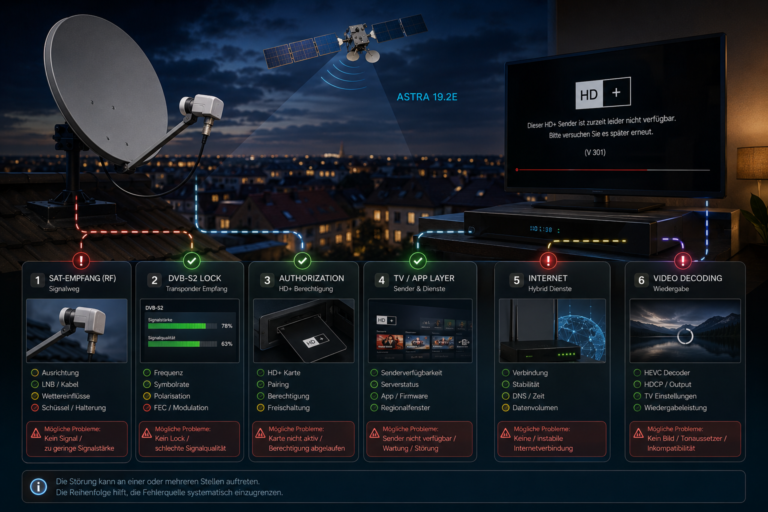
Step by step signal optimization
Start by checking alignment using signal quality as the main reference. Adjust slowly and observe changes.
Next verify LNB position and skew angle.
Inspect cables and connectors for damage or looseness.
Finally check for environmental obstructions.
Following these steps systematically improves signal strength.
Diagnosing persistent weak signal
If signal remains weak after adjustments, test each component individually. Replace cables if necessary.
Try repositioning the dish slightly to improve alignment.
Check for interference or nearby obstacles.
Persistent issues usually indicate a combination of factors.
Common weak signal scenarios
| Scenario | Cause | Explanation |
|---|---|---|
| Pixelated channels | Low signal quality | Insufficient clean signal |
| Signal lost during bad weather | Low signal margin | System operating near threshold |
| Some channels missing | Alignment issue | Dish not correctly positioned |
| Intermittent signal | Cable or connector issue | Unstable signal transmission |
Reality Check
Weak Astra signal is usually caused by installation or system issues rather than satellite transmission problems. Most cases can be resolved with proper alignment and system checks.
Final Verdict
Final Verdict
Fixing a weak Astra 19.2 signal requires a systematic approach that focuses on alignment, LNB positioning, cable integrity, and environmental conditions. Signal strength alone is not enough. Signal quality and stability are equally important. By carefully adjusting and optimizing each component of the system, users can achieve reliable and consistent satellite reception even under challenging conditions.
Frequently Asked Questions
| Question | Answer |
|---|---|
| What causes weak Astra signal | Usually misalignment cable issues or environmental obstruction. |
| Can weather cause weak signal | Yes but usually temporarily and reveals weak installation. |
| Is LNB important for signal strength | Yes incorrect positioning reduces signal quality. |
| How to improve weak signal quickly | Adjust dish alignment and check cables and connectors. |