Why Netflix Keeps Lowering Video Quality
Estimated reading time: 19 to 25 minutes.
Netflix sometimes starts with a sharp picture, then slowly lowers the video quality while you are still watching. The image becomes softer, textures disappear, dark scenes look compressed, and fast motion loses clarity. To many users, it feels like Netflix is reducing quality for no reason.
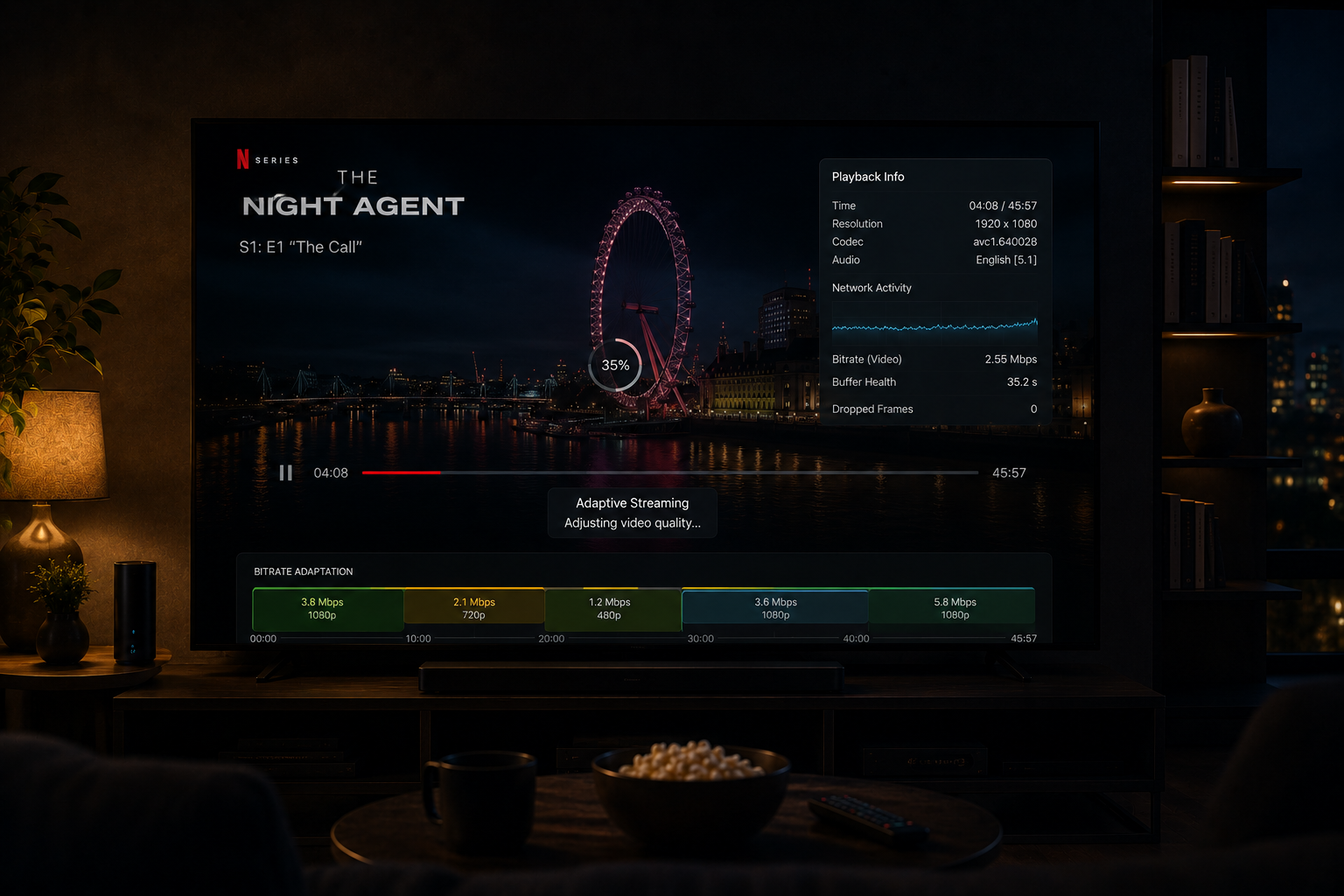
In reality, Netflix lowers video quality because the streaming system is constantly protecting playback stability. The platform would rather reduce bitrate than stop the video completely. That decision is not random. It is based on network timing, buffer health, device performance, congestion, and adaptive streaming logic.
Quick Context. Netflix keeps lowering video quality when the system detects unstable delivery conditions, weak buffer health, network fluctuation, WiFi instability, or device processing limits.
Table of Contents
What a Netflix quality drop really means
Adaptive streaming is the main reason
Why bitrate changes before resolution
Buffer health controls quality decisions
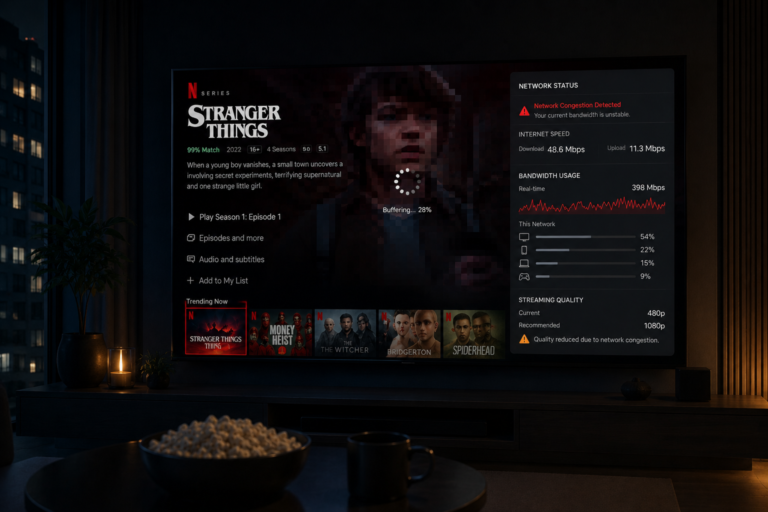
Why fast internet still drops quality
WiFi instability and quality reduction
Latency and packet timing problems
Device performance and decoding limits
Why 4K quality drops more noticeably
Why action scenes trigger quality drops
Why dark scenes expose lower quality
What a Netflix quality drop really means
A Netflix quality drop does not always mean the stream changed from 4K to HD or from HD to SD.
Sometimes the resolution stays the same, but the bitrate becomes lower.
This is why the stream may still show as high quality while the image looks softer than expected.
Quality drops can appear as:
- Blurry details
- More compression artifacts
- Soft motion
- Blocky dark scenes
- Reduced texture clarity
The visible image changes because Netflix is sending less visual information per second.
Adaptive streaming is the main reason
Netflix uses adaptive bitrate streaming.
This means the platform does not send one fixed quality level for the entire movie or episode.
Instead, it constantly checks playback conditions and chooses the safest quality level for that moment.
The system monitors:
- Bandwidth consistency
- Buffer health
- Packet delivery timing
- Network stability
- Playback smoothness
If the system detects risk, it lowers quality before playback breaks.
This is why quality can drop even before buffering starts.
Why bitrate changes before resolution
Bitrate is the amount of video data delivered every second.
Resolution describes pixel count, but bitrate describes how much detail those pixels actually contain.
Netflix may keep the same resolution while lowering bitrate.
This creates a confusing situation:
The stream still appears to be HD or 4K, but the image looks worse.
When bitrate drops:
- Fine detail disappears
- Faces look softer
- Background textures fade
- Motion becomes smeared
This is why bitrate is often more important than resolution for perceived quality.
Buffer health controls quality decisions
The buffer is a temporary storage area where Netflix keeps video data before playback.
If the buffer is healthy, Netflix can maintain higher quality.
If the buffer starts shrinking, Netflix becomes cautious.
The system may lower video quality to reduce data demand and protect continuous playback.
This is a defensive decision.
Netflix is trying to avoid a full pause or loading screen.
From the user side, it looks like quality suddenly dropped.
From the system side, it is a survival response.
Why fast internet still drops quality
Fast internet does not guarantee stable streaming quality.
A speed test measures peak download capability.
Netflix needs stable real time delivery.
A connection can be fast but unstable.
For example, a connection may deliver very high speed in bursts, then briefly slow down or fluctuate.
That short instability is enough for Netflix to lower bitrate.
Streaming depends more on consistency than peak speed.
WiFi instability and quality reduction
WiFi is one of the most common reasons Netflix lowers video quality.
Wireless networks are affected by:
- Walls
- Distance
- Neighbor routers
- Bluetooth devices
- Channel congestion
- Signal reflection
The WiFi icon may still look strong, but packet timing can be unstable.
Netflix notices this instability and lowers quality to protect playback.
This is why Ethernet often produces more stable Netflix quality.
Latency and packet timing problems
Latency is the time it takes for data to travel between servers and your device.
But the bigger problem is not always high latency.
The bigger problem is unstable latency.
When packet timing becomes irregular, video segments arrive unpredictably.
This creates pressure on the buffer.
Netflix responds by reducing bitrate because lower quality segments are easier to deliver consistently.
This helps the stream continue, but visual quality drops.
Peak hour congestion effects
Netflix quality often drops during evening hours.
This happens because internet traffic increases heavily at night.
More people are streaming, gaming, downloading, and using connected devices at the same time.
This creates congestion across home networks, ISP infrastructure, and regional routes.
During congestion:
- Bandwidth becomes less consistent
- Latency fluctuates
- Packet loss becomes more likely
- Buffer pressure increases
Netflix lowers quality to stay ahead of these problems.
Device performance and decoding limits
Sometimes quality drops are not caused by the network.
The playback device can also be the problem.
Older smart TVs may struggle with:
- Modern codecs
- 4K HDR decoding
- App memory usage
- Thermal pressure
- Slow processors
If the device cannot process high quality video smoothly, playback becomes unstable.
Netflix may reduce quality indirectly because the device cannot maintain stable performance.
Why 4K quality drops more noticeably
4K streaming requires much more stable bandwidth than HD.
It also requires stronger decoding performance.
When 4K bitrate drops, the change becomes very obvious on large screens.
You may notice:
- Soft textures
- Less detailed faces
- Noisy shadows
- Motion blur
Because expectations are higher with 4K, even a moderate bitrate reduction feels dramatic.
Why action scenes trigger quality drops
Action scenes are harder to stream than slow scenes.
Fast movement creates more visual complexity.
The encoder needs more bitrate to preserve motion detail.
If the network cannot sustain that extra demand, Netflix lowers quality.
This is why action scenes may suddenly look worse than dialogue scenes in the same movie.
The scene itself requires more data, and the system cannot always provide it.
Why dark scenes expose lower quality
Dark scenes reveal compression problems quickly.
When quality drops, shadows lose detail first.
You may see:
- Banding
- Blocky shadows
- Noise
- Black smearing
This happens because subtle shadow gradients require careful compression.
Lower bitrate cannot preserve them well.
That is why dark scenes often make Netflix quality drops more visible.
Server and routing behavior
Netflix uses large delivery infrastructure, but the route between Netflix servers and your device still matters.
Data may travel through different network paths depending on traffic conditions.
Some routes are stable.
Others introduce delay, jitter, or congestion.
When delivery becomes less predictable, Netflix lowers quality to maintain playback.
This explains why two users with similar internet speeds can experience different Netflix quality.
A real world quality drop example
Imagine watching Netflix on a smart TV over WiFi at 9 PM.
The episode starts in high quality.
Then other devices in the home become active.
Nearby WiFi networks also become busier.
Your connection still looks fast, but packet timing becomes unstable.
The buffer starts shrinking.
Netflix reacts before playback stops.
It lowers bitrate.
The image becomes softer.
Action scenes look blurrier.
Dark scenes become blockier.
The user thinks Netflix is randomly lowering quality.
Technically, Netflix is trying to prevent buffering.
| Factor | Technical Effect | Visible Result |
|---|---|---|
| Adaptive streaming | Automatic bitrate control | Quality changes |
| Weak buffer health | Reduced playback safety | Lower bitrate |
| WiFi instability | Irregular packet timing | Blur and compression |
| Peak congestion | Reduced bandwidth consistency | Quality drops |
| Device limits | Slow decoding | Playback instability |
| Action scenes | Higher data demand | Motion softness |
| Dark scenes | Compression pressure | Banding and blocks |
Reality Check
Netflix lowering video quality is usually a protective response, not a random failure. The system reduces bitrate when it detects that stable playback may be at risk.
Final Verdict
Netflix keeps lowering video quality because adaptive streaming is designed to protect playback stability. When the system detects unstable bandwidth, weak buffer health, WiFi interference, congestion, packet timing problems, or device limitations, it lowers bitrate to reduce data demand. This prevents interruptions but makes the image look softer and more compressed. The issue is rarely resolution alone. It is usually the result of real time decisions made to keep the stream playing under changing conditions.
FAQ
| Question | Answer |
|---|---|
| Why does Netflix keep lowering quality | Because adaptive streaming reduces bitrate when conditions become unstable |
| Does fast internet stop quality drops | No, stability matters more than peak speed |
| Can WiFi cause Netflix quality reduction | Yes, WiFi instability often triggers lower bitrate |
| Why does 4K still look blurry sometimes | Because resolution can stay high while bitrate drops |
| Why do action scenes lose quality first | Because fast motion requires more bitrate than slow scenes |